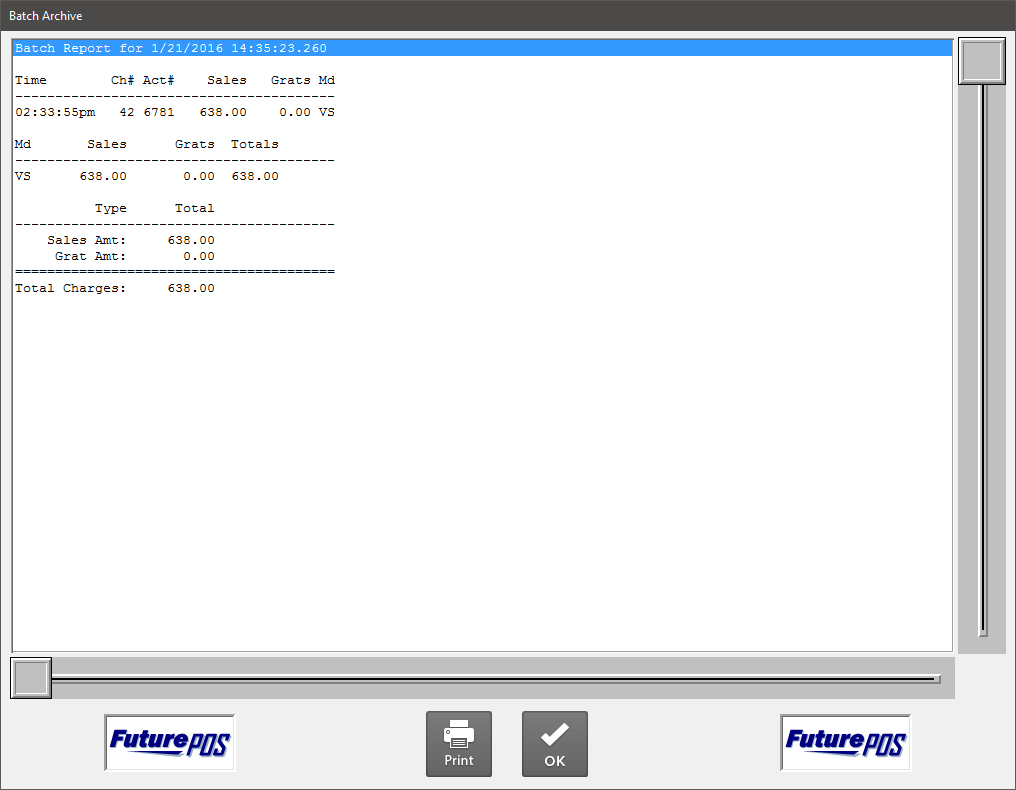
How to Configure the Batch Archive Report
- In Button Maintenance, select Register Reports from the Function drop down.
- Click Edit Function Data.

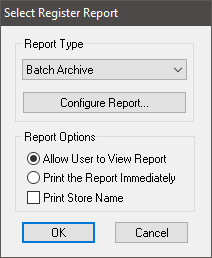
- Select Batch Archive under Report Type.
- Under Report Options select your viewing options:
- Allow User to View Report displays the report preview window. The user must select the Print option in the preview window.
- Print the Report Immediately does not display the preview window and prints the report automatically.
- Print Store Name displays the store name associated with the store's license.
- Click the Configure
Report button to configure your Batch Archive Report settings.

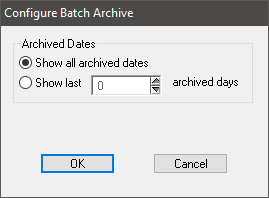
- Configure the Archive Dates options:
- Show all archived dates will display all available archived batches. See Data Retention for more information on configuring credit card batch archive data settings.
- Show last X archived days will display up to 255 days of archived data.
- Click OK to confirm your settings.
- Click OK in the Select Register Report dialog.
- Click File > Save As in the Button Maintenance dialog to save your settings.
- When the Save As dialog appears, enter a Button Name and click OK.

You will need to finish configuring your button settings. For more information on configuring your button, see Create a New Button.